Make a cross-stitch pattern from a fish illustration
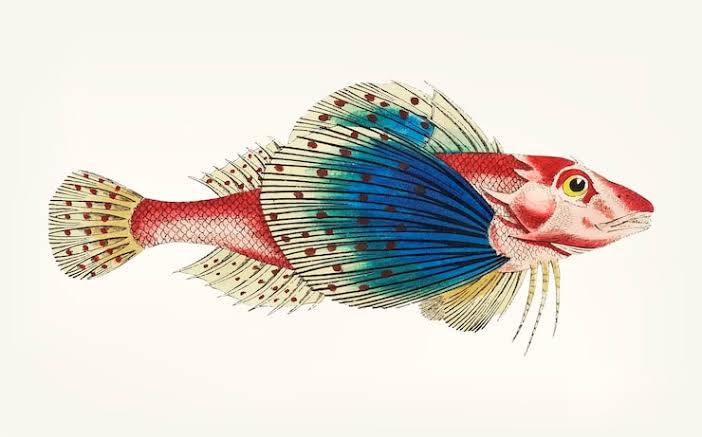
Follow this short example in The Pattern Maker: choose an image, generate an 80-stitch preview, then increase the width to compare the detail. The charts and PDFs below were created with the generator using this illustration.
1. Choose the image and start small
Save the example image, then open the cross-stitch pattern generator in a new tab. Choose the saved image and name the pattern “Red and blue fish”. Set Width to 80 stitches, Color limit to 20, and Color priority to Preserve subject colors. Leave Hide background off for this example.
2. Generate the first preview
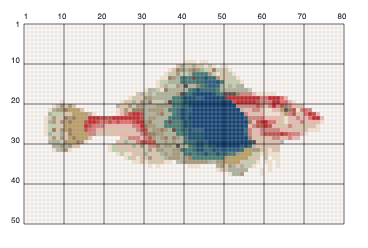
Select Generate pattern. The result is 80 × 50 stitches with 20 DMC colors. The blue fin and red body remain recognizable, but the thin fin rays and small markings simplify into blocks. Use Zoom chart to inspect the cells.
3. Increase the width and compare
Change Width to 140 stitches. After the first successful generation, parameter changes update the preview automatically after a short pause. You do not need to press Generate pattern again.
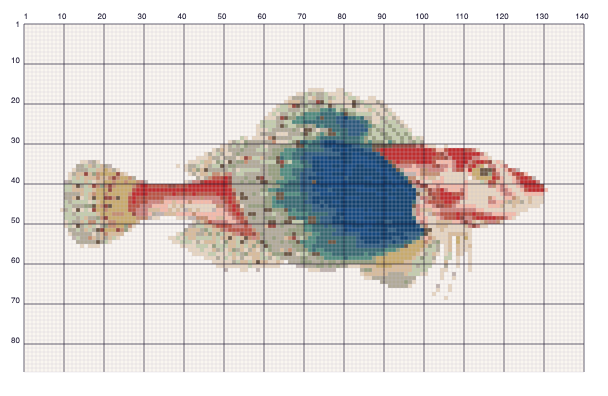
On 14-count Aida, the larger chart is approximately 25.4 × 15.8 cm (10 × 6.2 inches), excluding margins. Changing fabric count only updates the finished-size estimate; it does not change the chart. These examples keep the pale background as stitches. To leave it unstitched instead, use the background removal walkthrough.
4. Download the two printable charts
Select Download PDFs to prepare the color and black-and-white A4 versions. Both contain thread symbols and a DMC legend. Changed pattern settings clear old download links so the next PDF set matches the current preview.
Print at Actual size or 100% and follow the section map to arrange the sheets. See the A4 printing guide for details.
5. Try your own image
Start with a clearly cropped subject and compare two widths before choosing your project size. DMC matches are screen approximations; check physical thread colors before buying. Save your PDFs before leaving or refreshing the generator, because current work stays in the open page.